Review Comments (5) Screenshots (7) Questions & Answers (6/5) Votes (314) Awards (10) Wiki  
(314)
10.0.5.163
www.corel.com
Shareware
$39.99  Purchase
76 715 people
Download WinDVD

149.38 MBDownloaded 20841 times


Review

This is official description

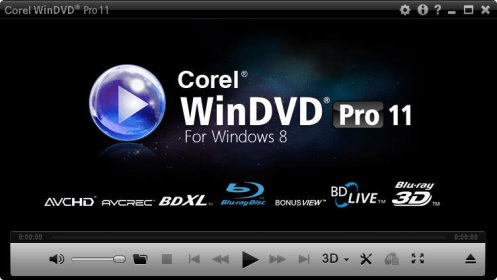
Corel® WinDVD® 2010 is one of the best DVD player software for high-quality video playback, with the new Blu-Ray 3D. You can play movies in popular audio and video formats, play right from your camera, camcorder or DVD without downloading from the camera and much more
 
The following review written by one of the Software Informer contributors applies to version 8.0

InterVideo's WinDVD is a DVD playback application for Windows. Above all, this program tries (and successfully achieves) to be the easiest DVD player for Windows of all. The first part of every experience when it comes to PC applications is installation, and this program's setup is really easy and up to the point. The user isn't prompted to setup or calibrate anything, nor is he bothered with any input whatsoever. Once the program is installed, the extremely user-friendly navigation interface is really similar to using a standalone DVD player. It is really intuitive and to the point. Video and audio quality are great and in par with its competitors. There is one great feature that rises above the rest; and that is the snapshot feature. It allows for high-quality screen captures without the need to use the PRT SRC feature on the keyboard. There are six control panels which encompass all the features of the application, and they can be easily accessed without stopping or pausing the movie that is being seen. The one aspect where WinDVD is falling behind is playing local files. It is not impossible to open those, but it is certainly annoying at times.
  • Great video and audio quality.
  • Extremely easy to use.
  • Powerful.
  • User-friendly.
  • Playing files off the hard drive is hard, very hard.

Reviewer rating:

Reviewed: 4 years ago

What's new in version 10.0

WinDVD offers new performance enhancements and better power management create a smoother, higher quality DVD software experience.It offers Blu-ray 3D Playback with support for both NVIDIA® 3D Vision™ Shutter Glasses and XpanD polarized glasses, you choose how you want to experience your movie.A new DVD software power scheme for Windows Vista® and Windows® 7 maximizes battery life without compromising video quality. Now you can now catch the end of that movie in vivid detail, even on battery mode. You can also benefit from the upscale of your DVD collections to fit your HD display—regardless of the platform—with Corel's new high-performance upscaling technology that takes SD video up to near-HD quality or from the fact that the DVD Playback is faster and smoother. It also has a simple new design and the fact that WinDVD 2010 lets you plug in your camera and playback videos directly on your PC for all to see.
Report a wrong version Report a wrong program title Suggest a correction

Screenshots

Main window Main window audiocenter audiocenter main screen main screen video center video center
All 7 screenshots

Latest comments

Guest #17301478(beginner) 11 months ago 
— Pre Installed WinDVD
Pros: Worked initially
Cons: Requires a repurchase instead of updating
Comment: My Toshiba PC came loaded with WinDVD. I expected the soafware to capable of being updated. However, I am supprised to find out that I have to buy new versions of the program. It will be a good idea if PC manufacturers stop preloading their new PCs with WinDVD to save themselves this embarssment.
Reply
Hugo Ibanez(beginner) 2 years ago 
One year ago I bought my HP laptop, and the software installed came with InterVideo WinDVD5. Any time that I started appears a window asking for product registration. I clicked to do it "on line" and continue. But immediately the window showed non connected to Internet!! that is false. So what can I do?. Also I need to be sure that the version I have is not a trial because if it is I can claim to HP representative in my country, as per the law. Please help me
Thanks
Reply
noel de sanogueira(beginner) 3 years ago 
i want to deinstall this product
Reply
Guest #98816460(beginner) 2 years ago 
go to add and remove programs in the control panel and select the program and next to hit unistall
Reply
Add new comment All 5 comments

E-mail Address:

Password:

Register now »

Forgot password?

Sign in with:
Facebook Account
.ifo IFO File
.dvd InterVideo WinDVD4
Download Software Informer Client
Copyright © 2012, Informer Technologies, Inc. About| Terms & Privacy| FAQ| Feedback & Support| For Developers